
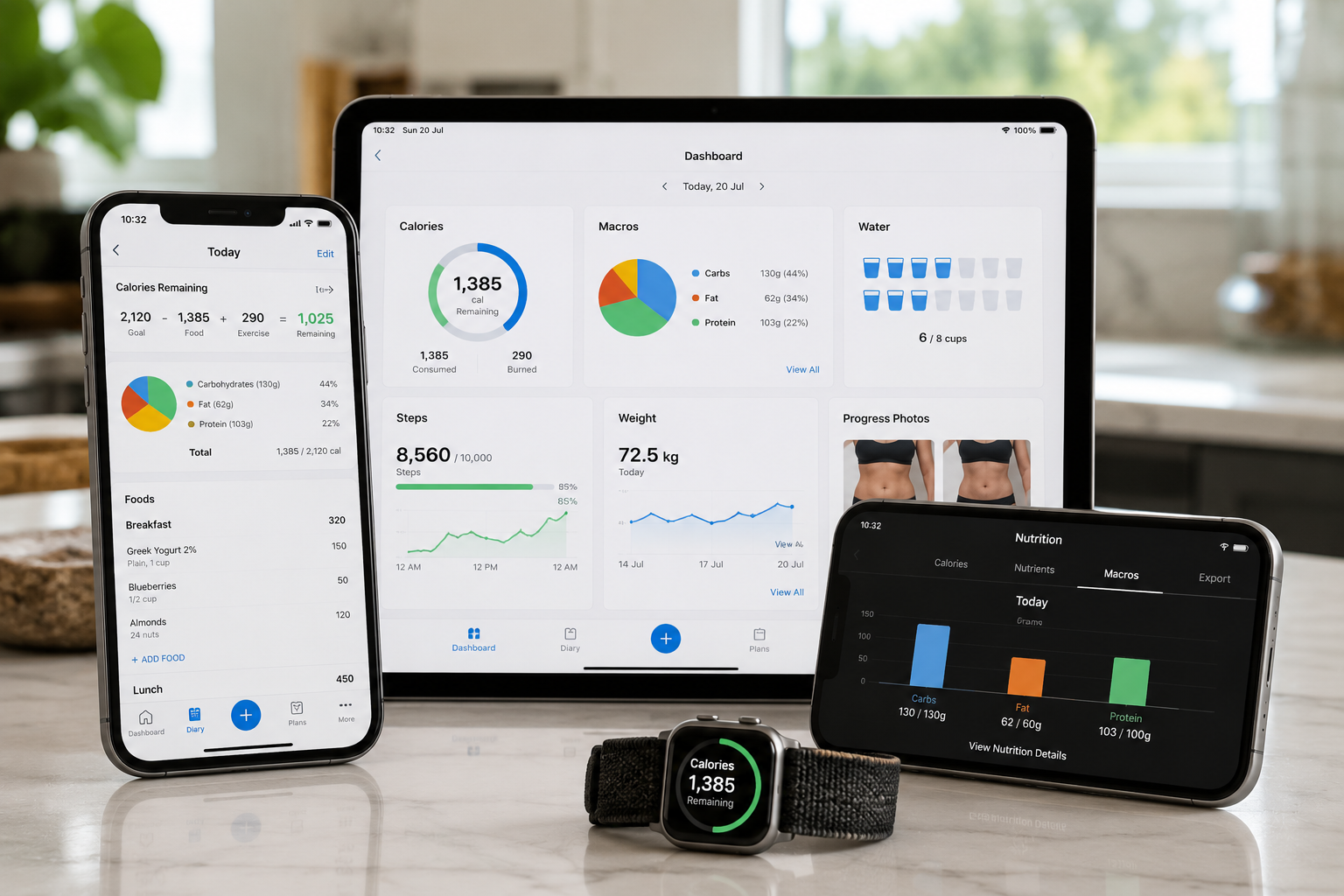
Tracking calories can tell you how much energy you consume, but sometimes you want more detail. Protein, carbohydrates, and fat can provide a clearer picture of how those calories are distributed. A macro tracking app combines food logging with macronutrient tracking so you can monitor all of these numbers in one place.
What Is a Macro Tracking App?
A macro tracking app is a mobile or web application that records food intake and estimates calories, protein, carbohydrates, and fat.
A typical food entry may show:
- Calories
- Protein
- Carbohydrates
- Fat
- Serving size
- Other nutrients
After you log your meals, the app adds the values together and compares them with your daily targets.
For example, your daily target might be:
2,200 calories
130 g protein
240 g carbohydrates
70 g fat
Start With Your Calorie Needs
The Calorie Calculator can help estimate your daily calorie requirements before you establish macro targets.
The BMR Calculator can provide an estimate of your basal metabolic rate.
Macro Tracking vs Calorie Counting
Calorie counting focuses primarily on total energy intake.
Macro tracking adds another layer by showing where those calories come from.
For example, two diets could both contain 2,000 calories but have different amounts of protein, carbohydrates, and fat.
Tracking macros is therefore useful when the composition of your diet matters in addition to total calories.
Why Track Protein, Carbohydrates and Fat?
Protein, carbohydrates, and fat have different roles in nutrition.
Protein supplies amino acids needed for maintaining and building body tissues.
Carbohydrates are an important source of energy and are found in foods such as grains, fruits, vegetables, beans, and dairy products.
Fat provides concentrated energy and supports normal physiological functions, including the absorption of fat-soluble vitamins.
Tracking these nutrients can help you identify whether your actual diet is broadly consistent with your targets.
What to Look for in a Macro Tracking App
When choosing a macro counter app, focus on features that make accurate and consistent tracking easier.
Food Database
Barcode Scanning
Barcode scanning can speed up tracking of packaged foods.
Instead of manually searching for a product, you scan the barcode and select the matching entry.
Recipe Tracking
Recipe tracking is useful if you cook at home.
You can enter the ingredients, calculate the total nutrition, and divide the recipe into portions.
This saves time when you eat the same homemade meal repeatedly.
Custom Foods
A good app should allow custom food entries when you cannot find an exact match.
This is especially useful for local foods, homemade ingredients, or products that are missing from a database.
Easy Food Logging
The best macro counter is often the one you will actually use.
Look for simple meal entry, convenient serving adjustments, and a clear daily summary.
An app with hundreds of features may be less useful if recording one meal takes too long.
Free vs Paid Macro Tracking Apps
A free app to track macros can be sufficient for basic food logging.
Free features may include:
- Calorie tracking
- Protein tracking
- Carbohydrate tracking
- Fat tracking
- Food search
- Daily totals
- Basic goal setting
Paid versions may offer additional features such as advanced reports, meal planning, larger databases, or more detailed customization.
Tracking Calories and Macros Together
Calories and macros should be considered together.
Protein and carbohydrates provide approximately 4 calories per gram, while fat provides approximately 9 calories per gram.
A macro tracking app can automatically perform these calculations, making it easier to compare your macro intake with your calorie target.
Protein Tracking
Protein is one of the most commonly tracked macros.
Protein tracking can be particularly useful for people who participate in resistance training or are trying to preserve lean tissue while losing weight.
Carbohydrate Tracking
Carbohydrate targets can vary substantially between individuals.
People with high levels of endurance activity may choose a higher carbohydrate intake, while others may prefer a lower-carbohydrate eating pattern.
A carb and calorie counter app can show both total carbohydrate intake and total calories, helping you see how the two relate.
Fat Tracking
Fat is calorie-dense, so relatively small changes in fat intake can have a noticeable effect on total calories.
A macro tracking app can make this easier to monitor.
Recording these ingredients can improve the accuracy of your daily food log.
Macro Targets for Weight Loss
When tracking macros for weight loss, start with a reasonable calorie target.
Weight loss generally requires average energy intake to remain below energy expenditure over time.
Protein can then be set according to body weight and individual needs, with the remaining calories allocated between carbohydrates and fat.
However, a calculator or app cannot guarantee a specific rate of weight loss. Real-world results can differ from estimates.
Macro Targets for Maintenance
For weight maintenance, your calorie target is generally intended to be close to your actual energy expenditure.
You can then use protein, carbohydrate, and fat targets to structure that calorie intake.
Macro Tracking for Muscle Gain
People trying to gain muscle often combine resistance training with adequate calorie and protein intake.
A macro tracking app can help monitor whether meals are providing enough total energy and protein.
Carbohydrates and fat can then provide the remaining calories according to dietary preferences and training demands.
How Accurate Are Macro Tracking Apps?
Macro tracking apps provide estimates, not laboratory measurements.
Accuracy can be affected by:
- Food database errors
- Incorrect serving sizes
- User-entered foods
- Brand differences
- Recipe variations
- Raw versus cooked weights
- Restaurant portion sizes
- Unrecorded ingredients
For packaged foods, comparing an app entry with the current nutrition label can improve accuracy.
For homemade meals, weigh ingredients when practical and make sure the selected food entry matches whether the food was measured raw or cooked.
Choosing the Easiest Macro Counter App
If ease of use is your priority, look for:
- Fast food search
- Simple serving adjustments
- Barcode scanning
- Saved meals
- Recipe support
- Custom foods
- Clear daily totals
- Easy goal editing
Common Macro Tracking Mistakes
Common mistakes include:
- Forgetting cooking oils
- Ignoring sauces and dressings
- Underestimating portion sizes
- Using the wrong food entry
- Confusing raw and cooked weights
- Forgetting drinks and snacks
- Changing targets too frequently
- Treating exercise calorie estimates as exact
- Focusing too heavily on small numerical differences
Who Should Use a Macro Tracking App?
A macro tracking app may be useful if you:
- Want to understand your eating patterns
- Need to monitor protein intake
- Are following a structured nutrition plan
- Participate in regular training
- Want more detail than calorie counting alone provides
- Prefer digital food records
How to Choose the Best Macro Tracking App for You
Start with your goal rather than the app's feature list.
If you mainly count calories, prioritize simple logging. If protein is your priority, make protein targets easy to see. Frequent home cooks should prioritize recipes, while people who eat packaged foods may benefit more from barcode scanning. If you want a free macro counter app, check that its free features cover your needs.
Related Health Tools
- Calorie Calculator — Estimate daily calorie needs.
- BMR Calculator — Estimate basal metabolic rate.
- Body Fat Calculator — Estimate body fat percentage.
Summary
The best macro tracking app is not necessarily the one with the largest food database or the most advanced features. It is the one that provides useful nutrition information and makes consistent food logging practical.
A good macro counter can track calories, protein, carbohydrates, and fat while supporting features such as barcode scanning, recipes, custom foods, and saved meals.
Free options can be enough for basic tracking, while paid versions may provide additional convenience or analysis.
Before choosing an app, decide what you actually want to monitor. Then select the simplest tool that supports that goal.
If you are starting with macro tracking, first estimate your daily calorie needs with the Calorie Calculator and then establish reasonable protein, carbohydrate, and fat targets.
References
Institute of Medicine. (2005). Dietary reference intakes for energy, carbohydrate, fiber, fat, fatty acids, cholesterol, protein, and amino acids. National Academies Press. https://nap.nationalacademies.org/catalog/10490/dietary-reference-intakes-for-energy-carbohydrate-fiber-fat-fatty-acids
Jäger, R., Kerksick, C. M., Campbell, B. I., et al. (2017). International Society of Sports Nutrition position stand: Protein and exercise. Journal of the International Society of Sports Nutrition, 14, 20. https://doi.org/10.1186/s12970-017-0177-8
U.S. Department of Agriculture. (n.d.). FoodData Central. Agricultural Research Service. https://fdc.nal.usda.gov/
Food and Drug Administration. (2025). How to understand and use the Nutrition Facts label. U.S. Department of Health and Human Services. https://www.fda.gov/food/nutrition-facts-label/how-understand-and-use-nutrition-facts-label
National Institute of Diabetes and Digestive and Kidney Diseases. (n.d.). Body Weight Planner. National Institutes of Health. https://www.niddk.nih.gov/health-information/weight-management/body-weight-planner